
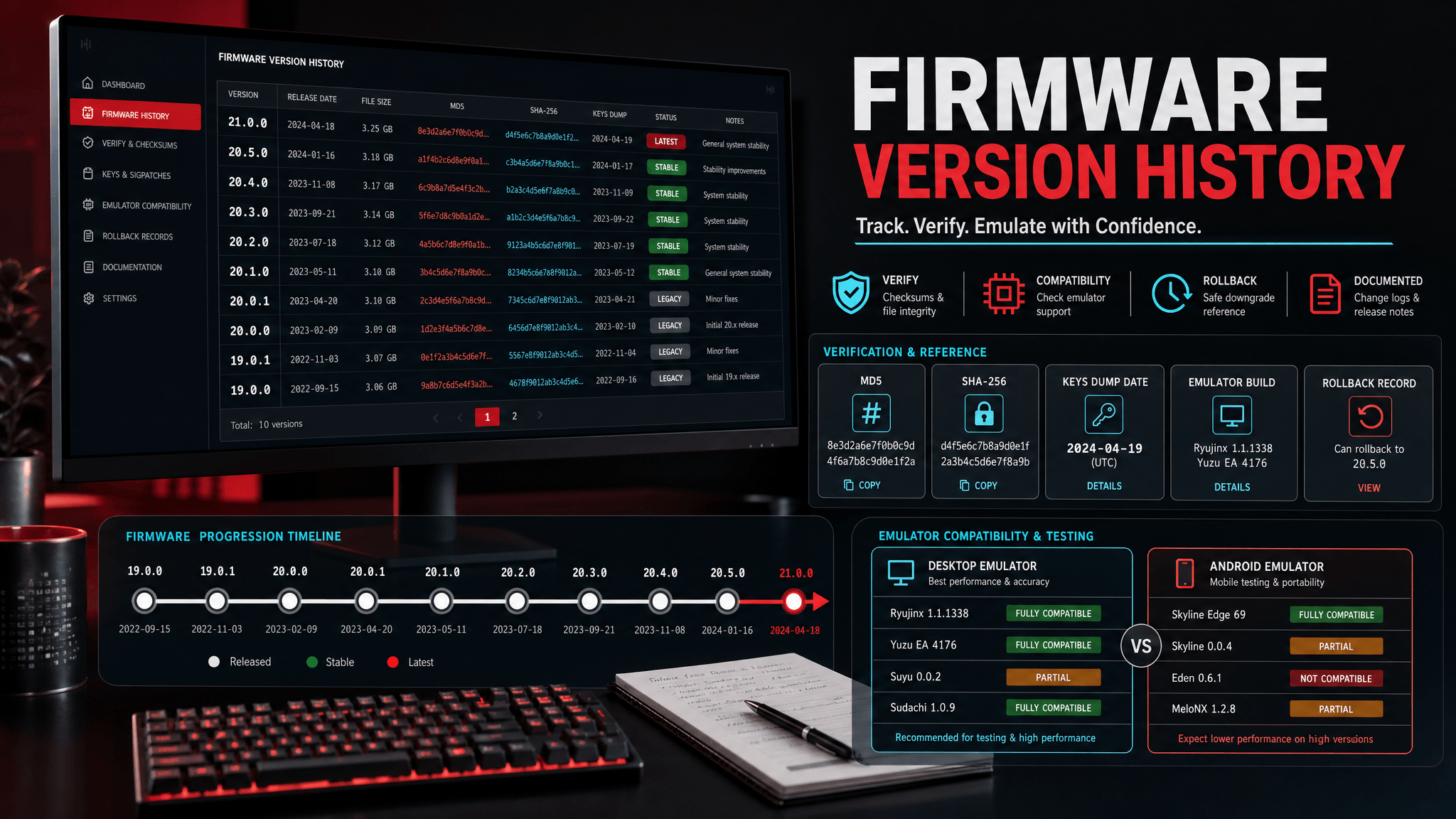
The Real Pattern in Reddit Firmware Threads
Reddit firmware threads are noisy, but they are not useless. When a Switch firmware update appears, the same questions return almost immediately:
- Does "general system stability" mean anything?
- Should I update now or wait?
- Did the update fix a crash, black screen, or dock issue?
- Is this secretly about blocking mods?
- Which firmware version should emulator users install?
- Why did my setup break after updating?
Those questions are more useful than the jokes around them. They show what users actually need: a way to separate official release notes, community speculation, console-specific symptoms, and emulator troubleshooting.
This article uses the patterns from recent Reddit discussion around firmware 21.x updates and the current search demand for versions like 21.2.0, 22.1.0, 20.5.0, 21.0.0, and 19.0.1. The goal is not to repeat Reddit. The goal is to turn the discussion into a practical checklist.
Question 1: Does "General System Stability" Mean Anything?
Yes, but not as much as users want it to mean.
Nintendo often describes small firmware updates with broad stability language. Reddit users joke about this because the wording is repetitive and vague. The joke is understandable: if a changelog says only "general system stability improvements," it does not tell a user whether their specific problem was fixed.
But vague does not mean empty. A public release note can be short while the update still changes system modules, applets, browser components, certificates, boot packages, or other internal files. The public note is written for ordinary console users, not for people maintaining emulator version matrices.
A better reading is:
| Phrase in release note | What it means | What it does not mean |
|---|---|---|
| General stability | Nintendo is not presenting a major visible feature | Nothing changed internally |
| Minor update | The public-facing scope may be small | Emulator users can ignore it forever |
| Security-related community notes | Some technical files may have changed | Your emulator setup must update immediately |
Treat the official note as a timestamp and a high-level label. Then use version records, emulator notes, and file verification to decide what to do.
Question 2: Should I Update as Soon as Reddit Posts the Version?
Usually no.
A Reddit post tells you a version exists. It does not tell you that your setup needs it. This distinction matters for both console users and emulator users, but emulator users have more moving parts.
Before updating, ask:
- What problem am I trying to solve?
- Does a game, update, or emulator note require this firmware?
- Do I have a record of my current working setup?
- Can I verify the firmware archive before installing?
- Do I have a known-good title to test afterward?
If you cannot answer those questions, you are updating blind.
For many users, the best first action is not installation. It is documentation. Write down your current firmware, emulator build, private keys record, platform, and one known-good title. Then decide whether the new version is relevant.
Question 3: What About Version-Specific Searches Like 22.1.0, 21.2.0, 20.5.0, 21.0.0, and 19.0.1?
Version-specific searches usually come from one of three situations.
| Search intent | What the user probably needs |
|---|---|
| Latest version search, such as 22.1.0 | A safe update decision and verification checklist |
| Recent patch search, such as 21.2.0 | A plain-English explanation of whether the update matters |
| Older version search, such as 20.5.0, 21.0.0, or 19.0.1 | A rollback or compatibility comparison |
Do not treat all version searches the same. Someone searching for firmware 22.1.0 may be trying to update. Someone searching for firmware 19.0.1 may be trying to reproduce an older setup, recover compatibility, or compare a known-good version.
The practical answer is always a version combination, not a single number. Firmware, keys, emulator build, content update, platform, and driver/backend all interact.
Question 4: Did the Update Fix Black Screens or Crashes?
Maybe, but do not assume.
Recent Reddit discussion included hopes that a firmware update might address black screen or HDMI handshake behavior. Another comment mentioned a game crash becoming less frequent after an update. These reports are useful as signals, but they are not proof that your emulator issue has the same cause.
For emulator users, black screens and crashes can come from many sources:
- graphics backend or GPU driver;
- shader cache;
- bad content dump;
- missing system component;
- firmware/keys mismatch;
- emulator regression;
- Android device limitations;
- old configuration files.
If a black screen appears after a firmware update, test a known-good title first. If every title fails, check firmware install status and keys path. If only one title fails, check that title's update version, emulator compatibility, and graphics settings.
Do not reinstall firmware three times before checking logs. Repeated installation rarely fixes a problem that was never caused by firmware.
Question 5: What About Third-Party Docks and HDMI Comments?
Dock and HDMI comments are mostly console-specific. They matter for real hardware users, but they do not directly translate into emulator firmware advice.
A Reddit user may discuss HDMI cables, third-party dock firmware, or handshake behavior after a system update. That is useful context if you are diagnosing a physical console and display chain. It is not a reason for an emulator user to update firmware or change keys.
For emulator content, the lesson is broader: not every firmware discussion belongs in an emulator checklist. Separate hardware concerns from emulator concerns.
| Reddit topic | Emulator relevance |
|---|---|
| Third-party dock compatibility | Usually low |
| HDMI handshake black screen | Usually low unless comparing capture/console behavior |
| Game startup crash | Medium; check title-specific compatibility |
| Browser/system component changes | Medium; may affect firmware version requirements |
| Keys or file mismatch errors | High; check emulator setup directly |
Question 6: Is a Firmware Update Anti-Modding or Security-Related?
Sometimes users speculate that an update is security-related or anti-modding. That speculation can be plausible, especially when technical notes mention browser binaries, certificates, or system modules. But speculation is not an emulator action plan.
For a practical emulator workflow, the question is narrower:
- Does this version change the files my emulator expects?
- Does my emulator support the version?
- Do I need this version for a specific title or update?
- Can I verify and roll back?
If the answer is no, then the security speculation does not change your immediate setup.
Question 7: Why Did My Emulator Break After Updating?
The most common reason is that the update changed more than one variable.
A user may update firmware, replace private keys, install a new emulator build, update a game, change graphics backend, and clear caches in one session. When something fails, firmware gets blamed because it is the most visible change.
Use a one-variable process:
- Record the current setup.
- Verify the new firmware archive.
- Install firmware only.
- Restart the emulator.
- Test a known-good title.
- Only then change keys, emulator build, content update, or driver if needed.
If the known-good title works, the firmware installation is probably not globally broken. If it fails, stop and diagnose the environment before touching anything else.
A Practical Reddit-to-Checklist Workflow
When you see a new Reddit firmware thread, do this:
| Step | Action |
|---|---|
| 1 | Note the version number and official source link |
| 2 | Read the official release note without over-interpreting it |
| 3 | Check the SwitchFirmware firmware table for version and verification fields |
| 4 | Search your emulator's own changelog or compatibility notes |
| 5 | Record your current working setup |
| 6 | Decide whether you have a specific reason to update |
| 7 | If updating, test one known-good title before the target title |
This keeps Reddit useful without letting speculation control your setup.
The Version Record Template
Use this template for any firmware update mentioned in Reddit threads:
Firmware version:
Official release source:
Community discussion summary:
Reason I care:
Current emulator/build:
Current firmware:
Target firmware:
Private keys record:
Known-good title:
Target issue:
Result after update:
Rollback note:
The important field is "Reason I care." If you cannot explain why the update matters to your setup, you probably do not need to install it yet.
What SwitchFirmware Tracks Differently
Reddit is fast. Official release notes are authoritative for public release timing. SwitchFirmware is designed for the practical middle layer: version tables, verification reminders, setup guides, and troubleshooting paths.
Use each source for the job it is good at:
| Source | Best use |
|---|---|
| Nintendo release notes | Official version/date and high-level public summary |
| User confusion, reports, and discussion patterns | |
| SwitchFirmware | Version tracking, verification, emulator setup workflow |
| Emulator documentation | Actual install paths and compatibility notes |
No single source answers every question.
FAQ
Is Reddit a reliable source for firmware update decisions?
It is reliable for finding questions and reports quickly. It is not enough for verification, compatibility, or emulator setup decisions.
Should I install the latest firmware if Reddit says it is out?
Not automatically. Install when you have a specific requirement and a rollback record.
Why do people joke about stability notes?
Because Nintendo often uses short stability wording that does not explain technical details. The joke is common, but the update can still include real internal changes.
What should emulator users check first after a failed update?
Check firmware install status, private keys path, emulator build, content integrity, and logs. Test a known-good title before focusing on the title that failed.
Related Resources
Reddit 讨论真正说明了什么
Reddit 上的 Switch firmware update 讨论很吵,但能看出真实用户关心什么:官方 stability notes 到底有没有意义、是否应该马上更新、更新是否修复黑屏或崩溃、模拟器用户应该装哪个版本。
这些讨论不能直接当成安装建议。它们更适合作为问题来源,然后再用官方 release notes、SwitchFirmware 版本表和模拟器文档验证。
实用处理方式
看到新的 Reddit firmware 帖子时,先记录版本号和官方来源,再检查 SwitchFirmware firmware 表格。如果没有明确需求,不要因为帖子热度就更新。更新前记录当前 firmware、模拟器构建、keys 记录、平台和一个已知可用游戏。
如果更新后出问题,先测试已知可用游戏,再看目标游戏。这样可以区分环境问题和单个游戏兼容性问题。
相关资源
Last updated: 2026-05-15