
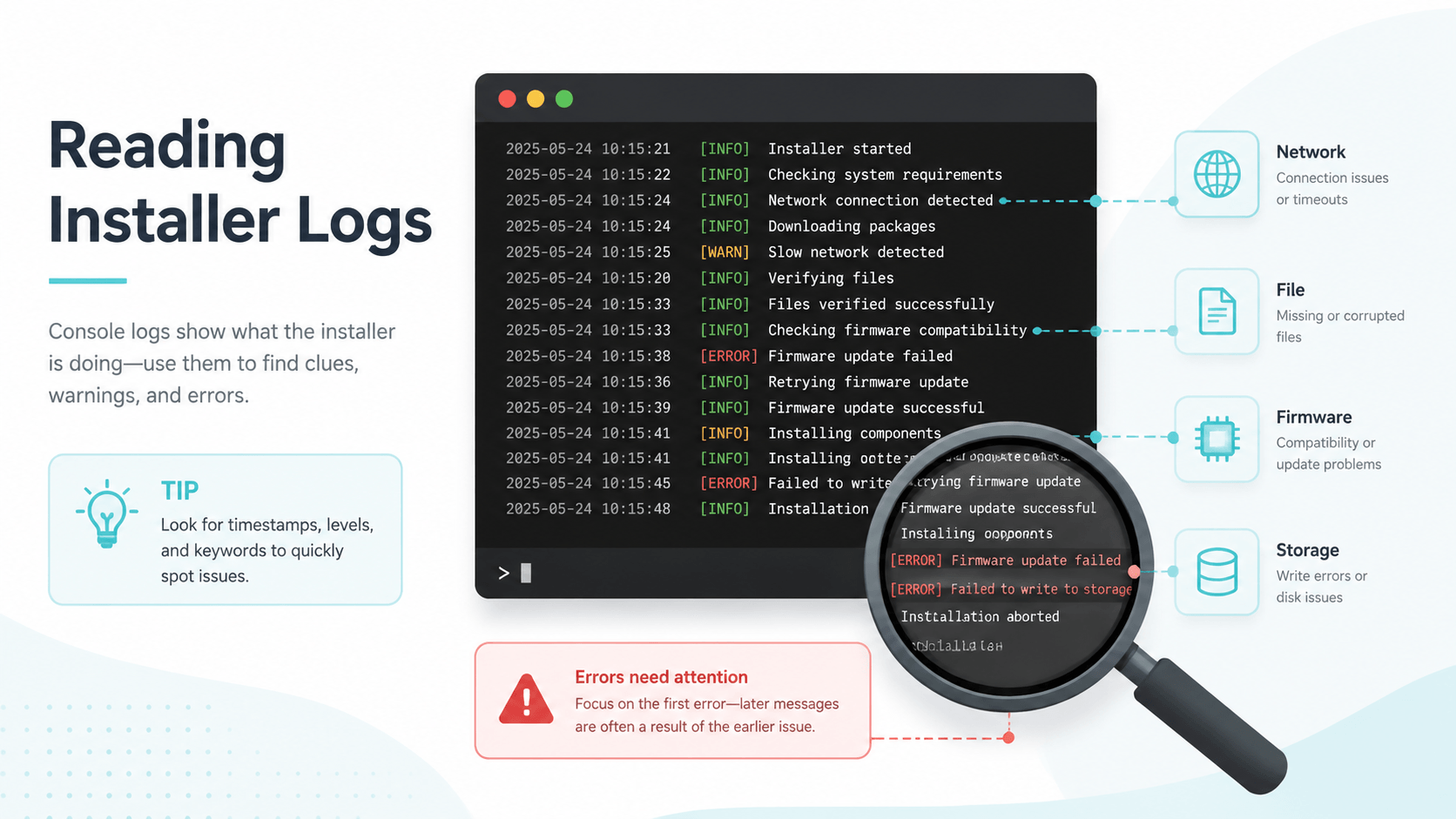
Why the Console Log Matters
Installer popups are often vague. The console log is usually more useful because it shows the layer that failed: network, certificate, file container, ticket, keys, firmware, storage, or app runtime. Reading that layer correctly prevents destructive troubleshooting.
This guide uses Tinfoil-style errors as examples, but the diagnostic habit applies broadly: identify the category before changing files.
Network and Source Errors
| Error pattern | Likely meaning | Safer first step |
|---|---|---|
| Could not resolve host | DNS cannot resolve the source | Check Wi-Fi and DNS settings |
| SSL error / certificate failed | Date/time or server certificate issue | Sync date/time, then retry |
| HTTP 404 | File missing at that URL | Do not change firmware; source is wrong |
| HTTP 401 / 403 | Access denied | Check authentication/source access |
| Timeout / retrying | Server or Wi-Fi instability | Test network before changing files |
Network errors are not firmware errors. A DNS blocker, wrong clock, offline host, or unavailable source can look dramatic in a log but has nothing to do with prod.keys.
File and Container Errors
Errors such as invalid container, invalid PFS0, invalid NCA, or malformed file usually point toward the file itself or the copy process. If one title fails and other known-good titles install, start with that file.
Check:
- File size.
- Hash if available.
- Whether the copy was interrupted.
- Whether the file came from your own complete dump.
- Whether the SD card or USB transfer is reliable.
Do not replace firmware first when only one file fails.
Key and Decryption Errors
Errors mentioning missing keys, key generation, decryption, or prod.keys should be handled carefully. They may mean the file is missing, unreadable, stale, or placed in the wrong environment.
For emulator users, use emulator-specific folder guidance. For console homebrew users, follow the tool's documented path and keep key material private. Do not paste key contents into logs or public support threads.
If the error changes from missing keys to NCA or firmware, you may have fixed key detection and exposed the next issue.
Firmware Requirement Errors
Messages like "firmware version is too low" or "requires newer firmware" are more specific. They mean the content or app expects system behavior not present in the current environment.
Before updating:
| Record | Why |
|---|---|
| Current firmware | Rollback point |
| Target firmware | Requirement you are testing |
| Keys dump date | Version-pairing clue |
| App/installer version | Compatibility clue |
| First test result | Confirms whether update helped |
Updating firmware without a rollback note turns one error into several unknowns.
Storage and SD Card Errors
FS errors, SD I/O errors, write failures, and "not enough space" messages should not be treated as keys or firmware problems. Check free space, SD card health, file system, and whether the card is being written through a flaky adapter.
FAT32 avoids some corruption patterns but has a 4GB file limit. If a file is too large for FAT32, use a supported USB/MTP or split-aware workflow rather than reformatting impulsively.
A Safe Reading Order
- Copy the exact error text.
- Identify the category: network, file, keys, firmware, storage, runtime.
- Check whether one title fails or many titles fail.
- Change one variable.
- Re-test and record whether the error changed.
The best clue is often the change in error text. A new error can mean progress.
Related Guides
为什么 Console Log 重要
安装器弹窗经常很模糊,而 console log 通常能告诉你失败层级:网络、证书、文件容器、ticket、keys、firmware、存储或应用运行时。先判断层级,再改文件。
常见分类
| 错误类型 | 优先检查 |
|---|---|
| DNS/host/timeout | 网络、DNS、来源服务器 |
| SSL/certificate | 日期时间、证书 |
| invalid file/NCA | 文件完整性、复制过程 |
| missing keys | keys 路径、权限、版本 |
| firmware too low | firmware 版本要求 |
| SD I/O / no space | SD 卡、剩余空间、适配器 |
不要把网络错误当作 firmware 问题,也不要把单个文件失败直接归咎于 keys。
安全排错顺序
- 复制准确错误文本。
- 判断错误类别。
- 确认是一个标题失败还是全部失败。
- 一次只改变一个变量。
- 记录错误是否变化。
错误变化往往说明你已经推进到了下一层,而不是完全失败。
相关指南
Last updated: 2026-05-13